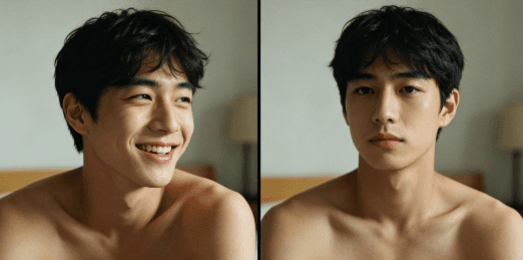
Face swap is not the goal, expression is the core—as a short video creative director who is sensitive to visual aesthetics, I always believe that a good face swap work is not only about the similarity of the face, but also about the overall atmosphere and emotional expression. Many novices use ProbFace but can’t make a sense of atmosphere, which is because they ignore some simple visual optimization details. Today, I want to share 3 practical visual optimization tips, which are easy for novices to master, and can make your ProbFace face swap videos more atmospheric and high-quality.
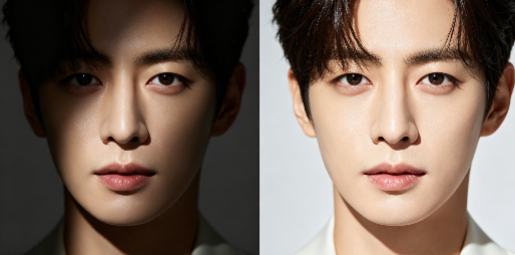
The first tip: choose a template that matches your face shape and temperament. This is the foundation of visual optimization—if the template does not match your face shape, no matter how you adjust it, the effect will be awkward. For example, round faces are suitable for ProbFace’s “smile” template: the soft lines of the template can soften the contour of the round face, making the face look more delicate; oval faces are suitable for the “coastal” template: the three-dimensional light of the template can highlight the three-dimensional sense of the face, making the face swap effect more natural; square faces are suitable for the “gentle” template: the soft expression of the template can neutralize the sharp lines of the square face.
The second tip: adjust the facial light and contrast to fit the template’s light environment. This is the key to avoiding the “disconnection between face and background” problem. Many novices directly upload photos without adjusting the light, resulting in the face being too dark or too bright, which is very disobedient. For example, ProbFace’s “coastal” template has bright natural light, so you should appropriately increase the brightness and contrast of the uploaded photo to make the face’s light consistent with the template’s background; the “night” template has dark light, so you should reduce the brightness and increase the contrast to make the face more three-dimensional and avoid being blurred in the dark background.
I usually use ProbFace’s built-in light adjustment function: it has simple brightness, contrast and saturation sliders, which are easy to operate even for novices. For example, when using the “coastal” template, I increase the brightness by 15% and the contrast by 10%, so that the face is bright but not overexposed, and the integration with the coastal background is better. When using the “night” template, I reduce the brightness by 10% and increase the contrast by 15%, so that the face’s outline is clear and does not blend with the dark background.
The third tip: match suitable background sound effects and subtitles to enhance the atmosphere. Visual effect is important, but sound effect and subtitles can enhance the emotional expression and make the work more immersive. For example, when using the “coastal” template to create a relaxed short video, I match it with the sound of waves and seagulls, and add casual subtitles like “Enjoy the sea breeze”; when using the “Hanfu” template, I match it with guzheng music and elegant subtitles like “Ancient style is picturesque”; when using the “daily” template, I match it with lively pop music and casual subtitles like “A beautiful day”.
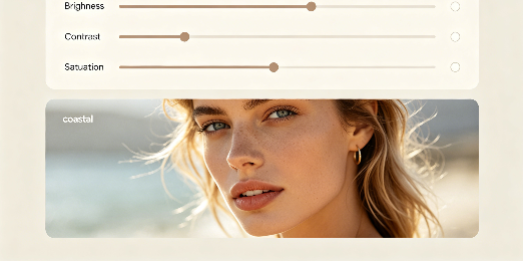
The key to visual quality is the integration of face, light and emotion. These three tips are very simple, but they can greatly improve the quality of your ProbFace face swap videos. I have a finished work for your reference: I used the “coastal” template, uploaded a photo of myself with a soft smile, adjusted the brightness and contrast to fit the template’s light, matched it with the sound of waves and seagulls, and added subtitles “Sea breeze and sunshine, a perfect day”. The final effect was very good—the face was naturally integrated with the coastal background, and the atmosphere was full.
Finally, a fixed reminder: please obtain portrait authorization for creation and respect others' portrait rights. Visual optimization is to make the work more beautiful and atmospheric, but the premise is to abide by the creation norms. With these tips, I believe you can also use ProbFace to create high-quality, atmospheric face swap videos, even if you are a novice.