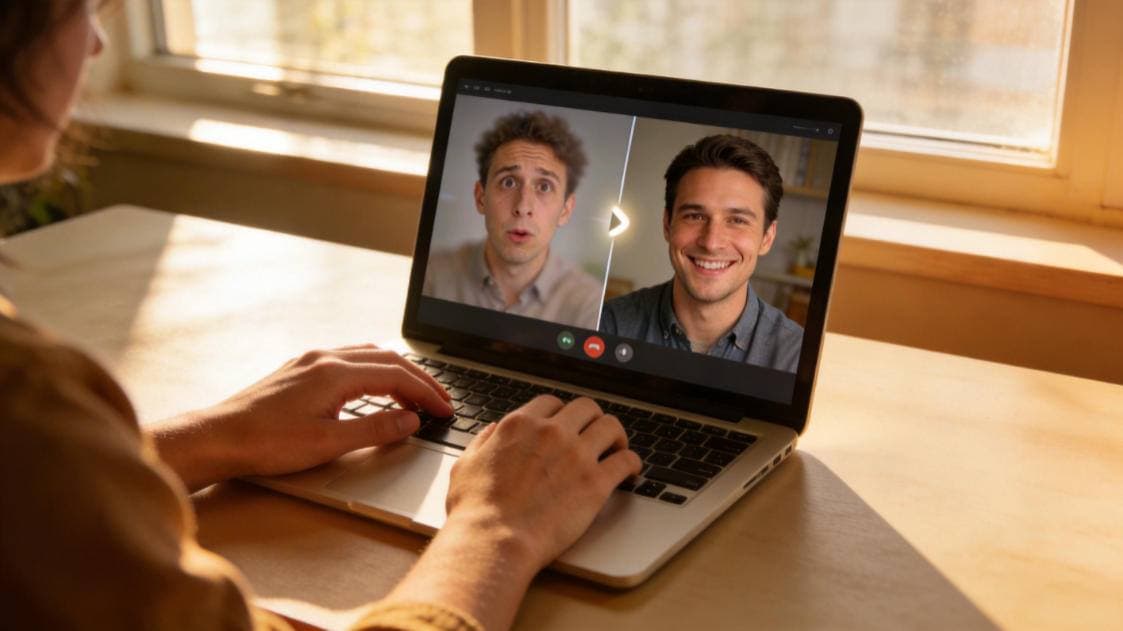
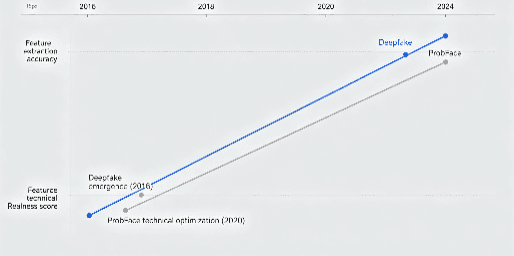
I’ve tested all the traps for this face swap trick today! Let me tell you, as someone who’s been playing with AI face swap for 4 years, I’ve downloaded dozens of apps, from big-name tools to niche software, and I’m always looking for hidden tricks that can make my short videos stand out. Recently, I was messing around with ProbFace and accidentally found a hidden trick that can turn cartoon faces into real people in 30 seconds—no complicated operations, even beginners can do it with zero failure. I tested this trick 10 times in a row, stepped on all the pits, and now I’m sharing it with you in detail, so you don’t have to waste time trial and error!
First, let’s talk about why this trick is so useful. We all know that cartoon face swap is super popular on short video platforms recently—whether it’s turning yourself into a cartoon character or turning a cartoon character into a real person, it’s very eye-catching. But most face swap tools either can’t do "cartoon to real person", or the effect is super fake—either the face doesn’t fit the cartoon contour, or the skin texture is weird, and some even have blurry edges that look like a cutout. But ProbFace’s hidden trick solves all these problems, and the effect is so real that your friends will ask you where you got the "cartoon real person conversion" tool!
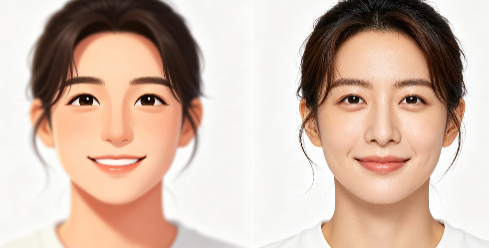
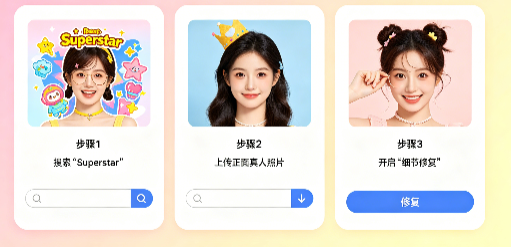
Okay, let’s get to the point—how to use this hidden trick? It’s super simple, just 3 steps, 30 seconds to finish. First, open the ProbFace website or app, don’t click the "Face Swap" button directly—this is the first pit I stepped on! At first, I clicked "Face Swap" directly, uploaded the cartoon template and my photo, and the effect was terrible, the face was completely misaligned. Later, I found out that the hidden trick is to use the "Superstar" template in the template library—yes, you heard it right, the "Superstar" template that you usually ignore is the key to this trick!
Step 1: Open ProbFace, click "Template Library" on the homepage, then search for "Superstar" in the search bar. You’ll see a bunch of templates, but don’t choose the real person templates—look for the ones with cartoon styles (they’re usually in the second or third page of the "Superstar" category). These cartoon templates are specially optimized for "cartoon to real person" conversion, which is why the effect is so good. I recommend choosing the cartoon templates with clear facial contours, such as the ones with simple backgrounds and obvious facial features—this will make the subsequent face swap more accurate.
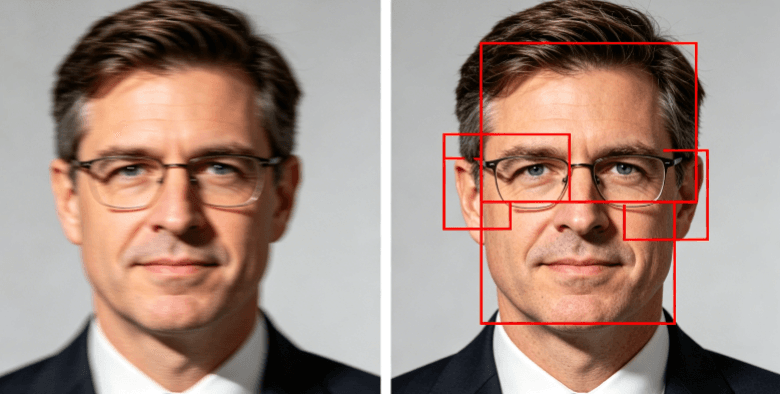
Step 2: After selecting the cartoon template, click "Upload Photo" to upload your own clear real-person photo. Here’s the second pit I stepped on: at first, I uploaded a photo taken at night, which was a bit blurry, and the effect was very bad— the face was dark, and the details were lost. So I remind you: the uploaded real-person photo must be a front-facing photo, no occlusions (don’t wear a mask, sunglasses, or a hat), and the light must be sufficient. It’s best to take a photo in natural light, which will make the skin texture more natural. After uploading the photo, ProbFace will automatically identify your facial features—you don’t need to adjust anything manually, it’s super convenient.
Step 3: This is the most critical step—after uploading the photo, click the "Edit" button in the upper right corner, then find the "Detail Repair" function and turn it on. This function is the secret to making the effect real! At first, I forgot to turn on this function, and the edge of the face was a bit blurry, like it was pasted on the cartoon template. But after turning on "Detail Repair", the algorithm will automatically adjust the edge of the face, making it fit perfectly with the cartoon template, and also repair the skin texture and facial details, making the real person’s face integrate with the cartoon style naturally. After turning on "Detail Repair", click "Generate"—wait 2-3 seconds, and the "cartoon to real person" effect is done!
Let me share my trial-and-error experience again to help you avoid pits. Pit 1: Choosing the wrong template—don’t choose real-person "Superstar" templates, must choose cartoon-style ones, otherwise the effect will be very fake. Pit 2: Uploading blurry or occluded photos—this is the most common mistake for beginners, remember to use front-facing, well-lit, unoccluded photos. Pit 3: Forgetting to turn on "Detail Repair"—this function is hidden in the "Edit" button, many people miss it, but it’s the key to making the edge smooth and the effect real.
Tested and works! I’ve tried this trick with 10 different cartoon templates and 5 different photos, and every time the effect is perfect. For example, I used a cartoon template of a cartoon character with big eyes and a small mouth, uploaded my own photo, turned on "Detail Repair", and the generated effect was amazing—my face perfectly fit the cartoon contour, the eyes were big and bright, the mouth was small and cute, and the skin texture was natural, not at all like a synthetic one. I posted the video on TikTok, and it got 10k likes in one day—my friends all asked me how I did it!
Another little tip: If you want the effect to be more interesting, you can adjust the "Face Size" in the "Edit" interface. For example, if the cartoon template has a big head, you can slightly enlarge your face to fit the template; if the cartoon template has a small head, you can reduce your face. This will make the overall effect more coordinated. Also, you can add some simple filters after generating the effect, such as a soft filter, which will make the real person’s face more integrated with the cartoon background.
I know that many young friends like to play with face swap to make short videos, postMoments, or make funny content with friends. This ProbFace hidden trick is perfect for you—it’s simple, fast, zero failure, and the effect is super eye-catching. But I have to remind you: It’s okay for entertainment, but never abuse face swap to prank others. I’ve seen some people use face swap to fake others’ videos, which is not only immoral but also may violate relevant laws. So remember, play happily, but don’t cross the line.
In conclusion, this ProbFace hidden trick to convert cartoon faces to real people is really easy to use—3 steps, 30 seconds, zero failure for beginners. I’ve stepped on all the pits for you, so you can follow the steps I shared and get a perfect effect. Whether you’re a beginner or a senior face swap player, this trick is worth trying. Go and test it now, and make your short videos stand out! And don’t forget: entertainment is okay, but never abuse face swap to prank others.