Great creative face swap begins with a clear sense of story—and “one person playing two roles” is a very interesting plot creation method that can not only save the cost of finding actors, but also bring a sense of surprise to the audience. As a short video creative director, I often use ProbFace to shoot “one person playing two roles” short videos, and today I want to share my practical experience with you, so that you can also shoot blockbuster-style videos at low cost.
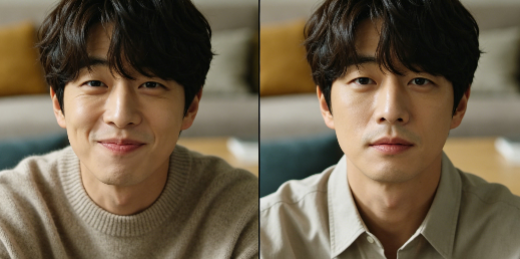
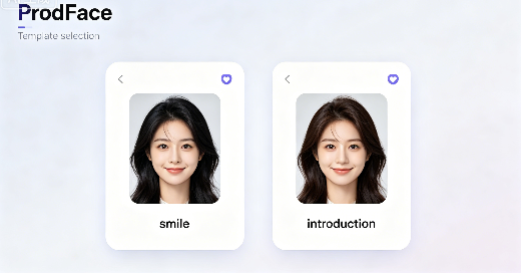
This idea works well for short video creators who want to save costs and create interesting plots. The operation is not complicated—with ProbFace’s templates and simple splicing, even novices can easily master it. First, you need to choose two suitable templates: the two templates should have coherent movements, so that the transition between the two “you” is natural. I usually choose ProbFace’s “smile” and “introduction” templates, because the “smile” template is more playful, and the “introduction” template is more calm, which is very suitable for creating dialogue plots.
Then, upload the same face photo to the two templates. The key here is to adjust the facial angle and expression to make the two “you” have obvious differences but not disjointed. For example, when shooting a “girl talking to her past self” plot, I use the “smile” template for the past self (with a playful expression, head slightly tilted), and the “introduction” template for the present self (with a calm expression, head straight). I also adjust the facial size to make it fit the template’s scene, avoiding the problem of “face being too big or too small”.
After completing the face swap of the two templates, you need to splice them into a complete plot. When splicing, pay attention to the connection of movements and music: for example, if the “smile” template ends with a wave, the “introduction” template should start with a wave response, so that the transition is natural. I usually use simple video editing tools to splice the two segments, add dialogue subtitles, and match with suitable background music—lively music for interesting plots, and soft music for emotional plots.
I once shot a “one person playing two roles” short video about “girlfriend conversation”: I used ProbFace’s “smile” and “laugh” templates, uploaded my own face photo, adjusted the expressions (one playful, one shy), spliced the two segments, added dialogue subtitles like “Did you see that cute cat today?” and “Yes! It’s so cute!”, and matched with lively pop music. The final video was very popular, with more than 5,000 likes—many netizens said that they couldn’t tell it was the same person playing two roles, and the effect was very natural.
From a creative perspective, the key to “one person playing two roles” is “difference and coherence”: the two roles should have different expressions and states to distinguish them, but the movements and scenes should be coherent to avoid a sense of disjointment. ProbFace’s stable face swap effect and rich templates provide a good foundation for this creation—you don’t need professional shooting equipment, just a mobile phone and ProbFace, you can shoot interesting “one person playing two roles” short videos at low cost.
Finally, a fixed reminder: please obtain portrait authorization for creation and respect others' portrait rights. When shooting “one person playing two roles”, ensure that the content is positive and healthy, and do not use it for inappropriate plots. With ProbFace, let’s use our creativity to create more interesting short videos and bring happiness to the audience.